I Built a Desktop Audio Converter With Claude Code
I’ve been meaning to build this app, and I actually started around this time last year. But after learning how to “code” or build with AI coding agents like claude code, I just gave it this prompt:
plan how to complete this app. it should allow one or multiple files to be selected or dragged (audio only) and then it should show a box to select which format to convert to e.g mp3, wav, aac,ogg, flac,m4a, mp4) plus certain options that come from ffmpeg to compress the file
It wrote this comprehensive plan. And the it went for it. I asked a small question to fix a small UI color issue. And voila!
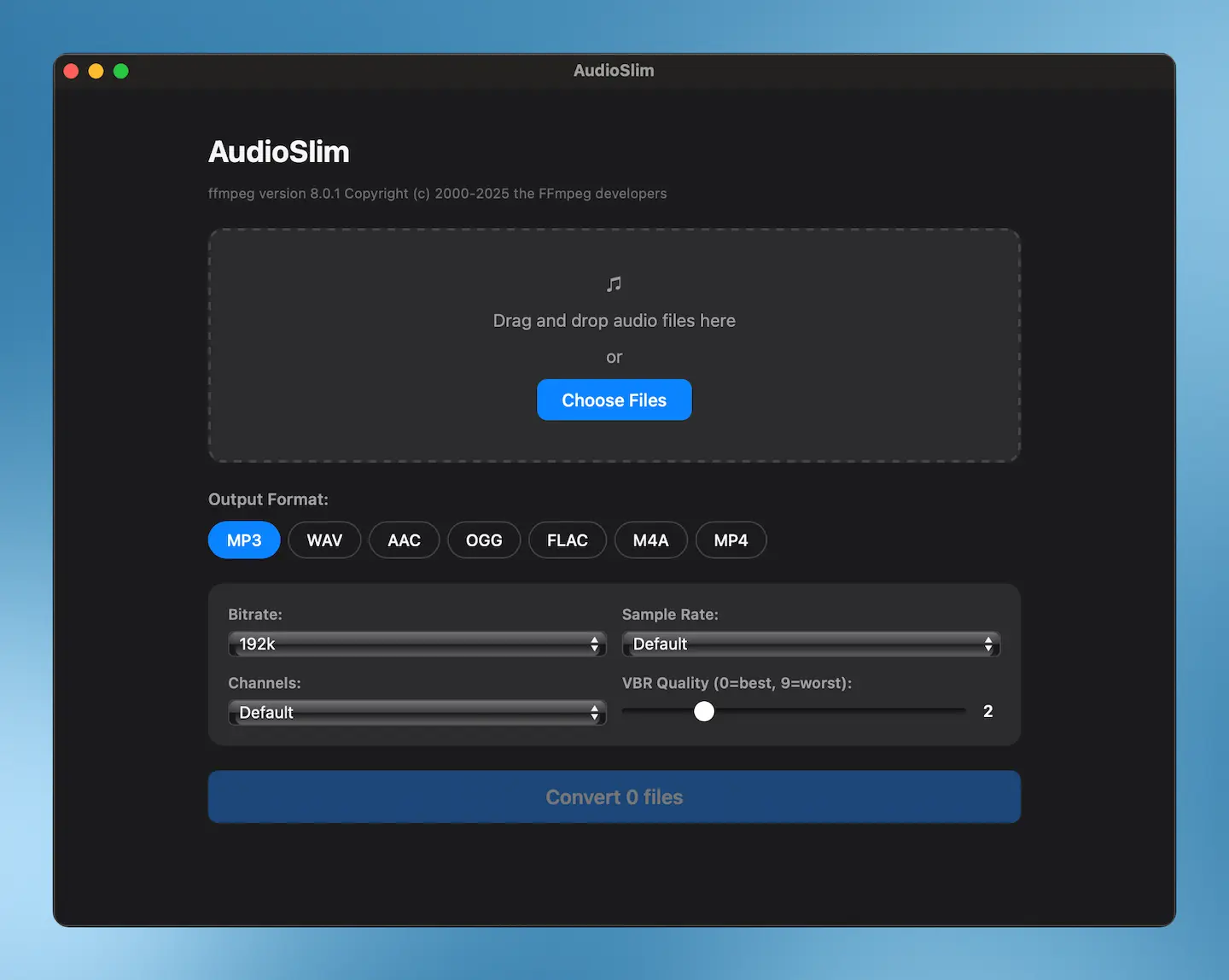
A(I) built Audioslim, a native macOS app that converts audio between MP3, WAV, AAC, OGG, FLAC, M4A, and MP4. I built it with claude code, Anthropic’s AI coding assistant for the terminal.
The Stack
Audioslim uses:
- Tauri v2 with a Rust backend — fast, lightweight, and native
- React 18 + TypeScript for the UI
- ffmpeg (your system install) for audio processing
The app weighs under 5 MB. An Electron equivalent ships a full Chromium browser.
What It Does
Drop audio files onto the window or pick them with a file chooser. Select your output format. Adjust compression settings: bitrate, sample rate, channels, and format-specific options like MP3 VBR or FLAC compression level. Hit “Convert.” Output files land next to the originals, and you see before/after file sizes in real time.
Supported formats: MP3, WAV, AAC, OGG, FLAC, M4A, and MP4 (audio-only).
Building With Claude Code
Claude Code wrote the Rust backend, the React frontend, and the Tauri configuration. I described what I wanted in plain English — a drag-and-drop audio converter with configurable compression — and iterated from there.
The project took a fraction of the time I would have spent writing it by hand.
Try It
Audioslim is free, open source, and available now for macOS (Apple Silicon):
You need ffmpeg installed (brew install ffmpeg if you use Homebrew).
Source code: https://github.com/gianpaj/audioslim